
How do I access the Demo Practice Exam?
Accessing the Demo Practice Exam is free and takes only a few steps. Registration is required so attempts can be tracked and upgraded to Premium if needed.
Step-by-Step Guide to Accessing the Demo
Step 1 — Login or Create an Account
Sign in to your MedicoExam account.
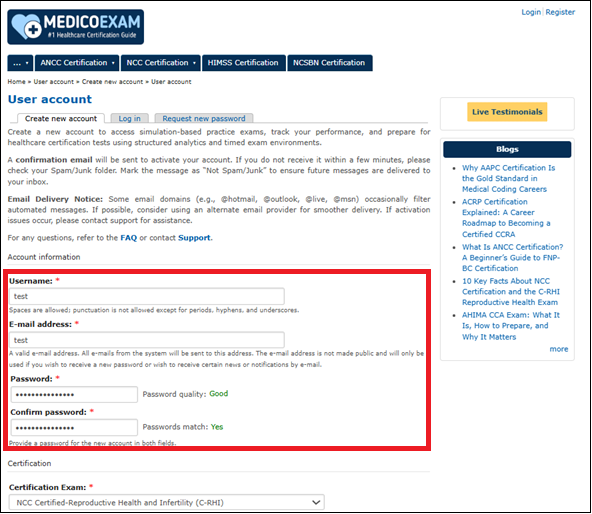
Step 2 — Navigate to Your Exam Vendor Page
Browse vendors such as NCLEX / ANCC (Nursing), NREMT (EMS/Paramedic), AAPC / AHIMA (Coding & Billing / HIM), NHA (Allied Health), NBRC (Respiratory Therapy), etc.
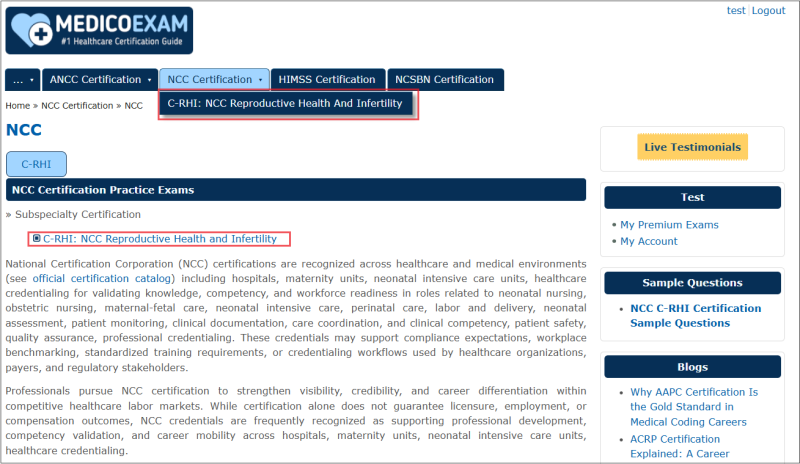
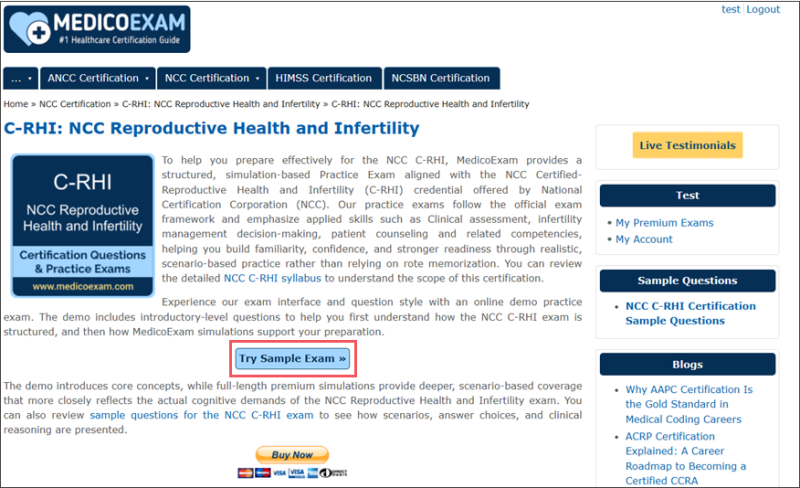
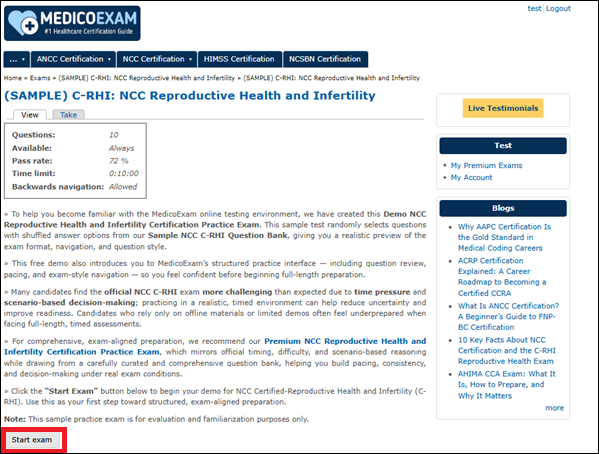
Step 3 — Click “Try Demo Exam”
You’ll see details such as number of questions & time limit.
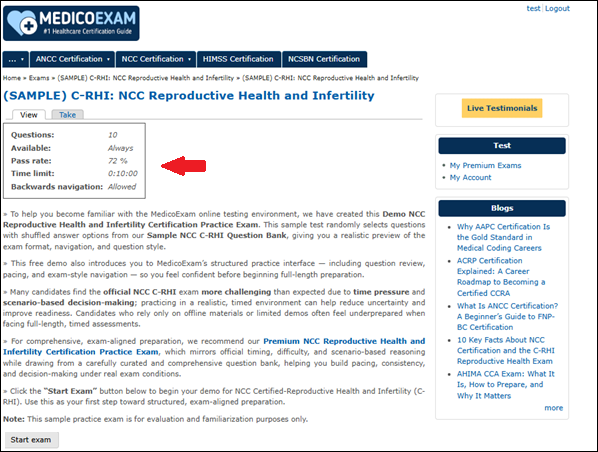
Step 4 — Click “Start Exam”
The simulation begins immediately in timed mode.
Why Demo Access Matters
Healthcare certification exams often test::
- question interpretation
- scenario reasoning
- prioritization & decision-making
- pacing under time pressure
- navigation + workflow familiarity
Simulation helps candidates experience these patterns before committing to Premium Access.
The Demo is especially useful for certifications involving reasoning rather than memorization, such as NCLEX, NREMT, CPC, RHIT, RHIA, and related credentials.


